
Appearance
Run a One to One conversation
Access: a permitted console or campaign-station operator. Campaign rules can limit available choices.
Prepare both people
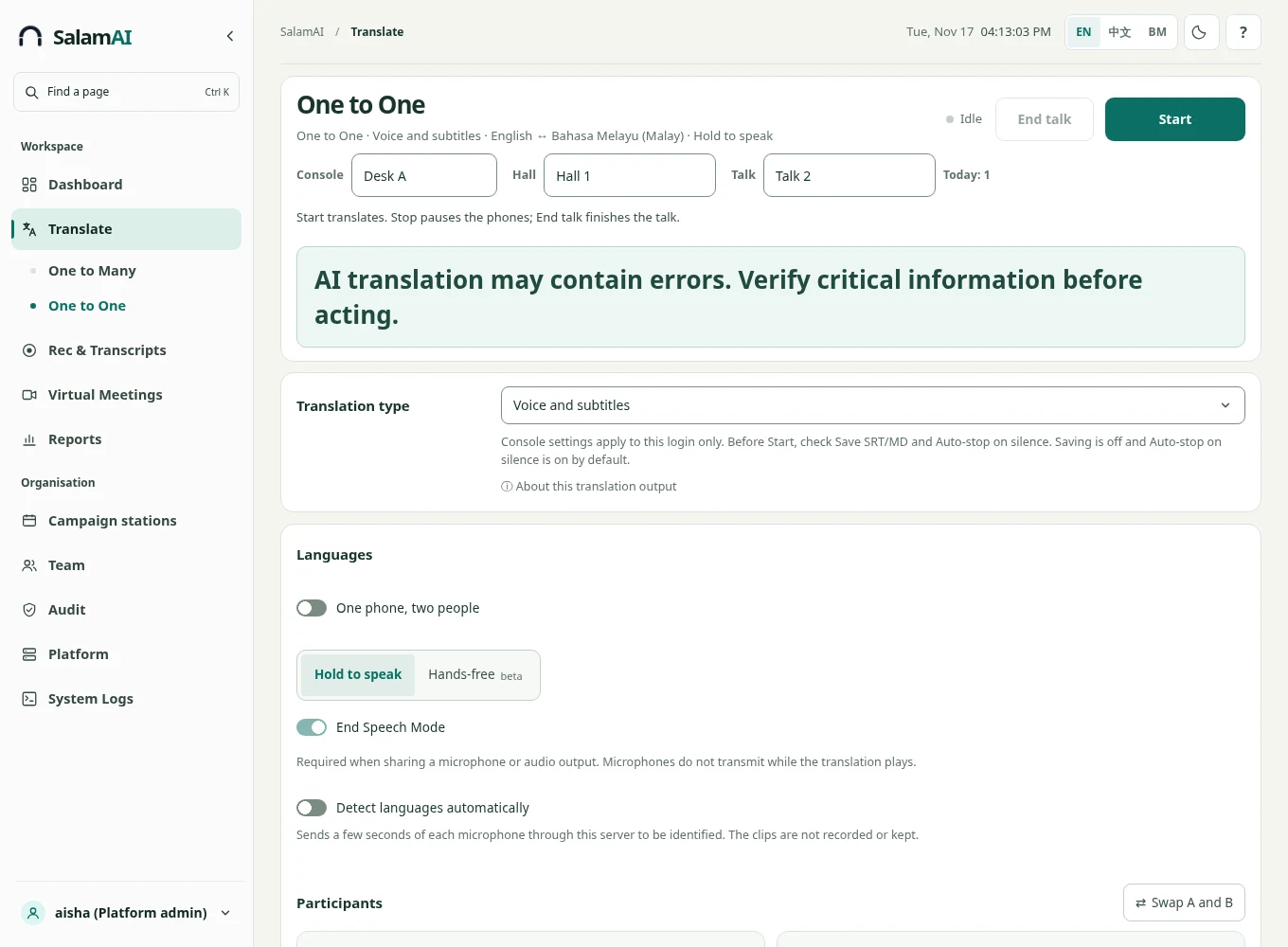
- Open Translate → One to One and select an available spoken translation type.
- Set Person A's and Person B's languages. If Detect languages automatically is available, follow its spoken setup instructions instead.
- For each person choose Devices on this console or Companion phone, where permitted.
- For local devices, select each microphone and output. For phones, display the assigned QR and have the person enable microphone/audio.
- Choose Hold to speak or Hands-free and explain it to both people.
- Check the console, hall and talk names and saving/privacy decisions, then Start.
After Start, Getting ready… shows under each person's button for a few seconds while the translation warms up: the console quietly gives each direction the spoken AI notice in that person's language and discards what comes back, to help the first real sentence translate cleanly. Languages without their own spoken notice keep the plain short wait. Nobody hears, sees or keeps the warm-up. Wait for the button before speaking; a reconnect warms up again.
If the connection drops once both people are talking, each direction reconnects by itself and, after its quick attempts, keeps trying about once a minute until it is back or you press Stop. Only a refusal that can never succeed (for example a removed permission) ends a direction with a message. A conversation whose two directions never both started still stops, so you are not left with half a conversation.
Hold to speak
Only one person should speak a short complete phrase at a time. Hold that person's control, speak, release and allow the translation to finish. Then let the other person reply.
This is useful with a shared playback device and for conversations where clear turns matter. Do not continue holding the button while waiting for the translated reply.
Hands-free
Use separate microphones and headphones where possible. Keep translated audio out of the listening microphones and minimise overlapping speech. Hands-free is not a guarantee that two simultaneous speeches will remain clear.
Devices and phones
The same language can be assigned to different physical devices. Swapping the two languages does not necessarily swap the connected hardware; recheck both assignments after using Swap.
A phone must be ready before it can provide its side. Share the phone guide with participants. If a device disconnects, pause the conversation, restore readiness and confirm both directions before continuing.
When the conversation is finished, press End talk (beside Start/Stop): when summaries and transcripts are allowed, choose End and send to have them prepared and sent, or End, don't send to end it without them. A Stop on its own closes it as a test: nothing is sent and reports hide it unless Show tests is on (End talk stays available for it until the next Start). Review saving and document states before closing a station.