
Appearance
Usage statements and customer billing
Access: Organisation admins for their organisation's statements and invoices; Platform admins for pricing and invoice administration. Members and auditors do not see billing.
Organisation usage statements
- Open Team → Billing → Usage statement.
- Choose the period, dates, time zone, currency, products and grouping offered.
- Select Preview and check the returned scope and coverage.
- Compare the statement with the correct console/hall/talk or campaign activity.
A usage statement is not a tax invoice. Audience listener minutes are also different from billable translation activity. Extra running languages and connected time can affect usage even when a room is quiet; review the applicable price and operating rules. Translation time counts only while a language is actually connected: time spent reconnecting after a network or service drop is not counted, so a long outage does not add usage. The console reports connected time regularly; between two reports at most 60 seconds count, and at most 20 seconds right after the connection was down (only the first report after an outage). This rule is the same for console languages, campaign stations and High privacy. When a session closes, up to 30 seconds after its last report are added, but only if it ever reported connected time: a language that never connected counts 0 seconds in every lane. High privacy usage is then rounded up to whole minutes. A standard (not High privacy) session that keeps refreshing its connection without any connected-time report for more than 10 minutes is recorded once in the organisation's audit trail as billing.suspect for review; nothing is added to its usage.
Invoices
Open the authorised invoice list and use Download PDF or Download CSV. Check the organisation, billing identity, dates, currency, taxes and line items before sharing the file.
If a product has no applicable price, ask the platform administrator to review pricing. Missing prices are not proof that usage is free. Do not combine different currencies into a single total without an explicit approved conversion basis.
Platform pricing and issuance
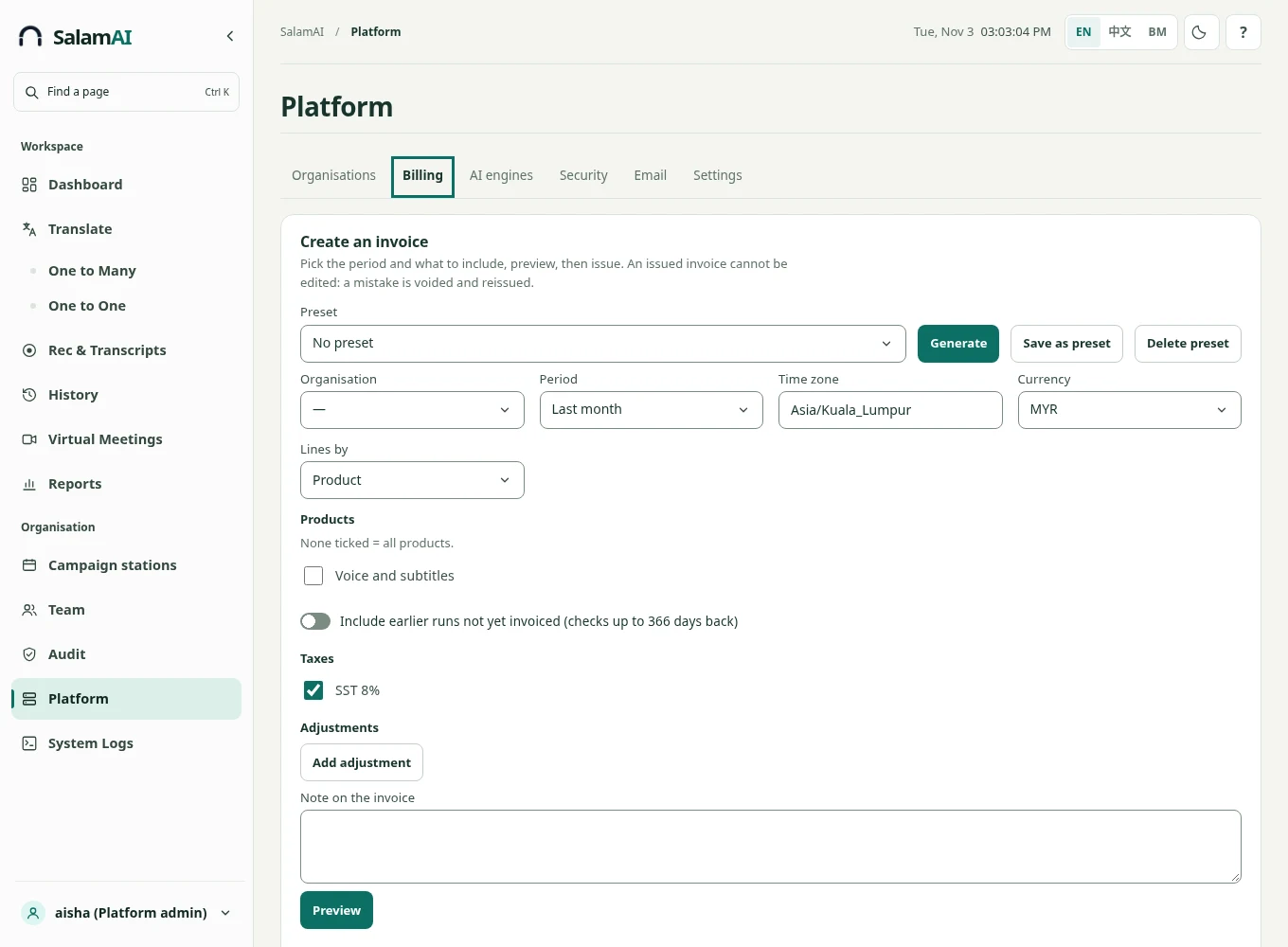
Platform administrators use Platform → Billing for the available rate card, organisation contract prices, billing details and invoice workflow. Review effective dates and customer currency before saving a price.
Preview an invoice before issuing it. Check which activity is included and whether the intended period has already been billed. Issued documents follow their controlled correction workflow; changing a future price does not justify silently rewriting an issued invoice.
Financial oversight
Restricted platform cost views support internal review of completeness and reconciliation. Use their own Help, currency and coverage notes and your organisation's approval procedure. Customer revenue, estimated usage, expenses and reconciled totals describe different bases; do not add competing presentations of the same activity together.
Only distribute authorised customer-facing reports. Operational configuration and restricted financial evidence should remain within the platform team's approved access.