
Appearance
Dashboard, audit and support
Access: operators see their permitted live work; broader dashboards and System Logs require Platform admin; Audit is for organisation administrators and auditors (read only).
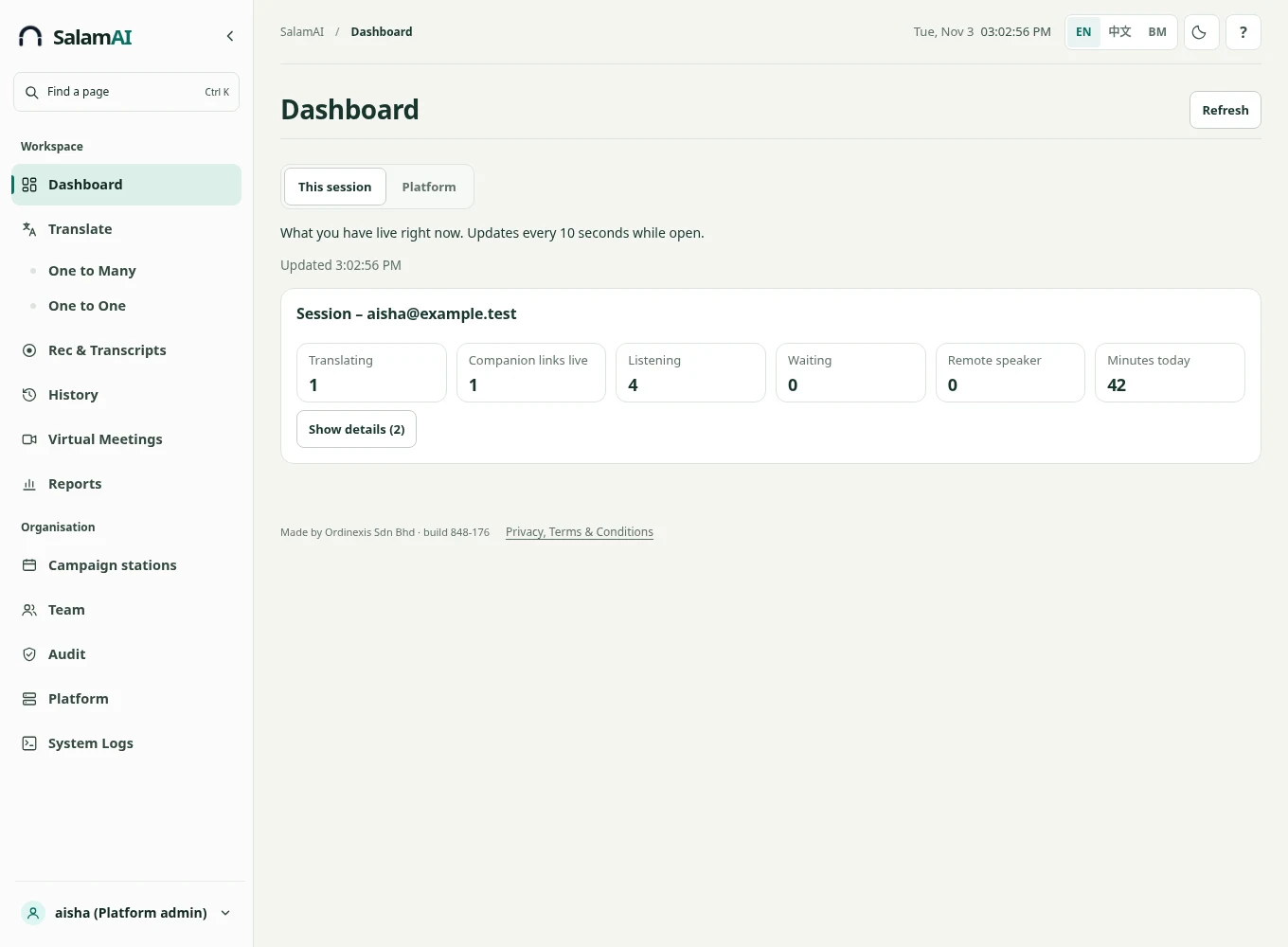
Dashboard
Start with This session to inspect the current console's live translations, Companion links, waiting listeners and usage. Platform administrators can switch to the wider platform view for cross-organisation oversight.
Compare current state with actual output. A counter showing a live connection does not prove the source is audible or that a listener heard it. A link can remain available while no talk is running.
Use the least disruptive control that addresses the problem. A live link may need to be stopped from its owning console before it can be retired from an overview.
Audit
Open Audit to review recorded actions within your scope. Choose the period/filters offered and inspect actor, action and relevant record. Use the integrity-check action when required by your organisation's review process.
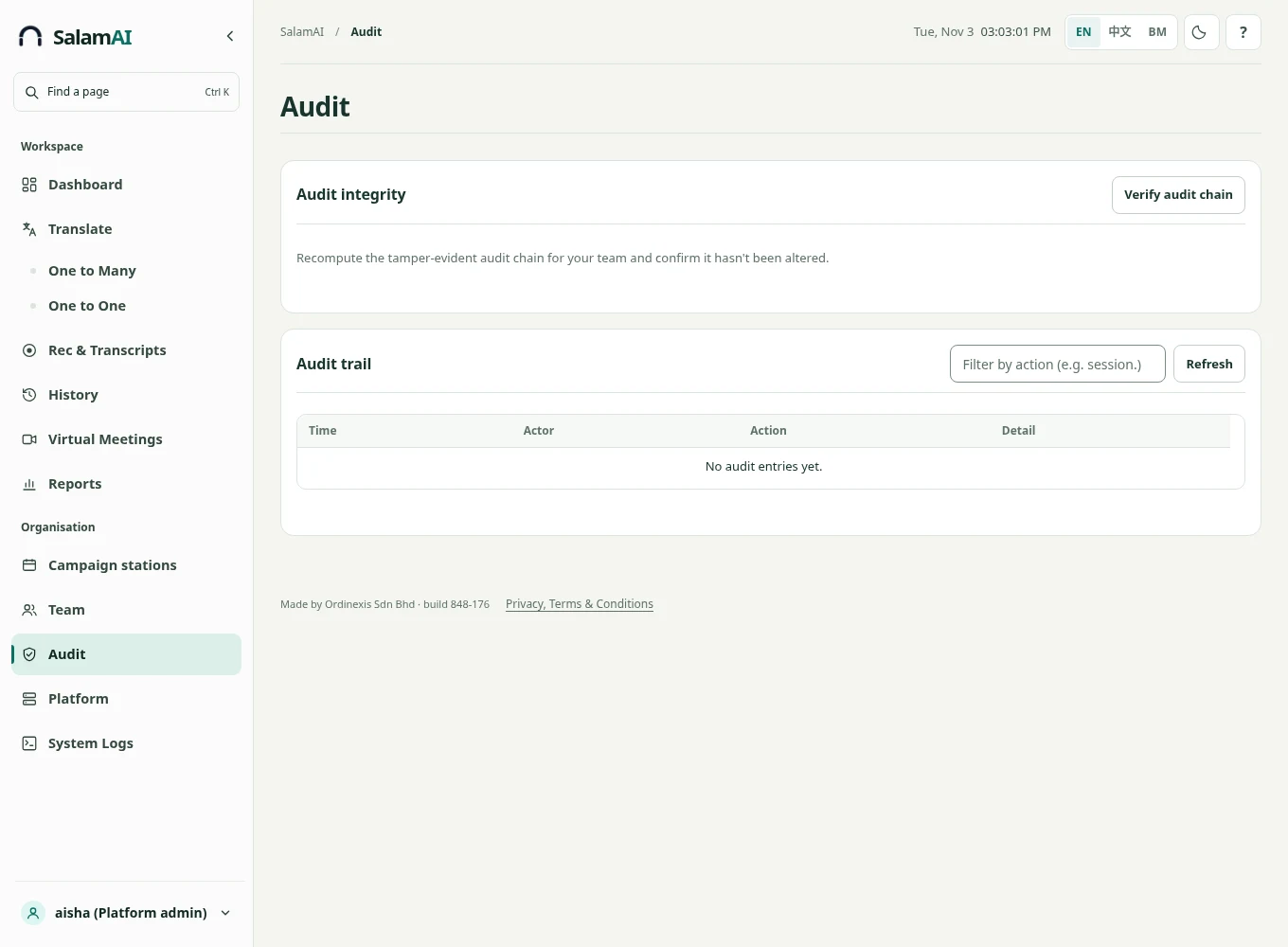
An audit trail is evidence of recorded actions, not a transcript of every conversation. Verify the scope and date before drawing conclusions from an empty result. Treat exports as restricted organisational information.
System Logs
Platform administrators can search System Logs by the support reference shown in an error. Use service/level/time filters and live refresh deliberately. Stop refresh when investigating a stable time range and export only what is authorised.
For One to Many languages that use the 70+-language Voice and subtitles option, the console also reports a few timing numbers with its regular status checks (every 20 seconds, and after its live connection to the platform reconnects): translated audio already queued to play on the console, now and the highest sampled over roughly the last two minutes (not the full speaker-to-listener delay); estimates of how often a long backlog was cut, of connection changes (planned refresh or reconnect) and of gaps in the audio it received (cause unknown; this includes a new connection's wait for its first audio, so it can rise during a seamless refresh), with the longest gap sampled over roughly the last two minutes; and the highest upload backlog sampled over roughly the last two minutes (not current congestion). Other translation types, One to One and phone-paired languages send none. Each line carries the full session id. To find the language, open Rec & Transcripts → Sessions, choose Everyone (it opens in Mine) and search for the id. That search covers only your signed-in organisation, and the expanded Session field shows the first 8 characters; for another organisation, ask an administrator there to match the id to the language. Restarting a language starts a new session. Each session logs at most one line a minute with these numbers and one without. Keep a reproduction running for at least a minute, or it may log nothing. The numbers contain no speech, text or names. In High privacy none are collected or sent. System Logs searches for one exact piece of text: search play_queue to find these numbers across sessions, or the full session id alone to find one session's lines.
Logs and expanded technical details can contain restricted operational information. Do not share raw logs publicly. Provide a sanitised summary and a support reference to the affected user.
Collect a useful support report
Record the event, console/hall/talk or station, local time and time zone, device/browser, what the user attempted, the exact public message and whether others are affected. Exclude passwords, full private links and confidential speech.