
Appearance
Virtual Meetings
Access: an authorised organiser with Virtual Meetings enabled. Availability depends on the configured meeting integration; use the supported links and choices shown in your installation.
Virtual Meetings brings a supported online meeting into SalamAI so invited guests can follow translated speech and, when permitted, contribute through a moderated speaking flow. Do not assume every meeting provider or account type is supported because it accepts a meeting link.
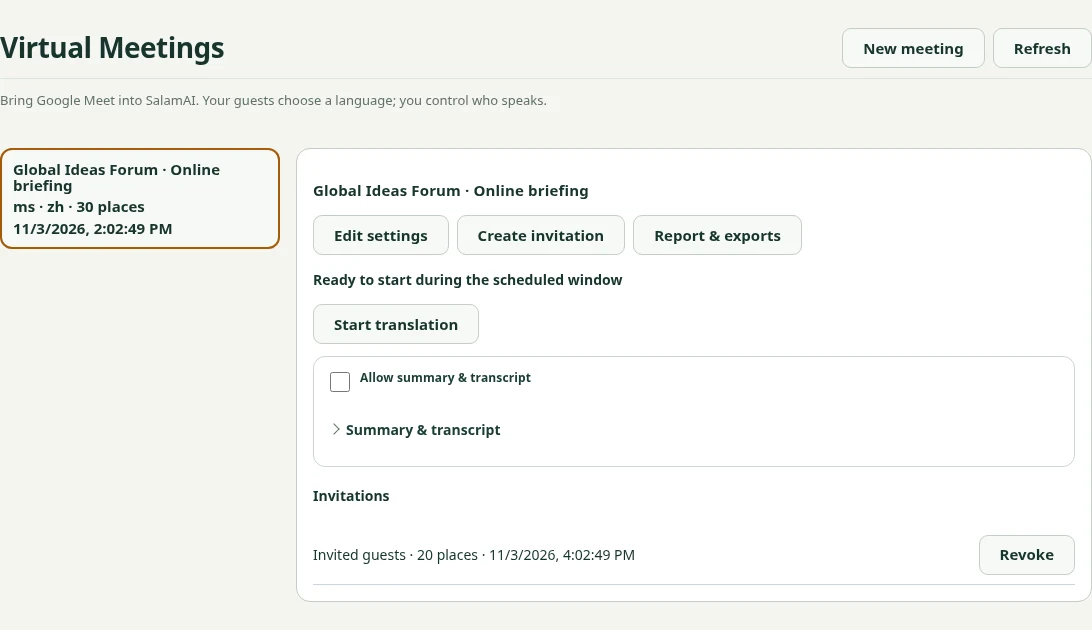
The screenshot shows the meeting workspace; console navigation is omitted.
If Google Meet is the supported option shown, use a valid Meet invitation and arrange host admission. Support for another meeting provider must be explicitly available in your installation.
Prepare the meeting
- Open Virtual Meetings and create the meeting.
- Enter its name, supported joining link, meeting language and closing time.
- Choose guest translation languages and authorised moderators.
- Decide whether subtitles are live only or may be saved, and select the permitted retention period.
- Create guest invitations with the offered expiry, seat limit, password and branding options.
- Share invitations privately and rehearse with the meeting host and a guest before the real event.
The host may need to admit SalamAI into the original meeting. Being connected in the console is not proof that audio is correct in both directions. Ask the host and guest to confirm what they actually hear.
Guests and moderation
Guests open their invitation, complete the entry checks and choose an allowed language. Explain the Raise hand → approval → speak flow where enabled. Use one clear speaking turn at a time so translated replies remain understandable in the original meeting.
Moderators monitor admission, connected guests, requests to speak and the available meeting controls. Coordinate a stop or disconnect with the host. The enlarged invitation QR closes with its × (or Escape).
Saved text and reports
Saving is a deliberate meeting choice. Use the meeting's available transcript and attendance/report actions within your permissions and the selected retention period. General console document features are not automatically enabled just because you created a meeting; confirm the offered options and run a rehearsal.
If a host changes the meeting, guests cannot join or one direction is silent, verify the invitation, host admission, microphone and playback state. Use audio troubleshooting and ask the platform administrator to inspect the connection if it persists.