
Appearance
Use a campaign-grant station
A campaign grant gives you a restricted translation desk for an event. It normally includes a station link and password. The campaign organiser sets the available languages, operating period, speaking modes and saving rules.
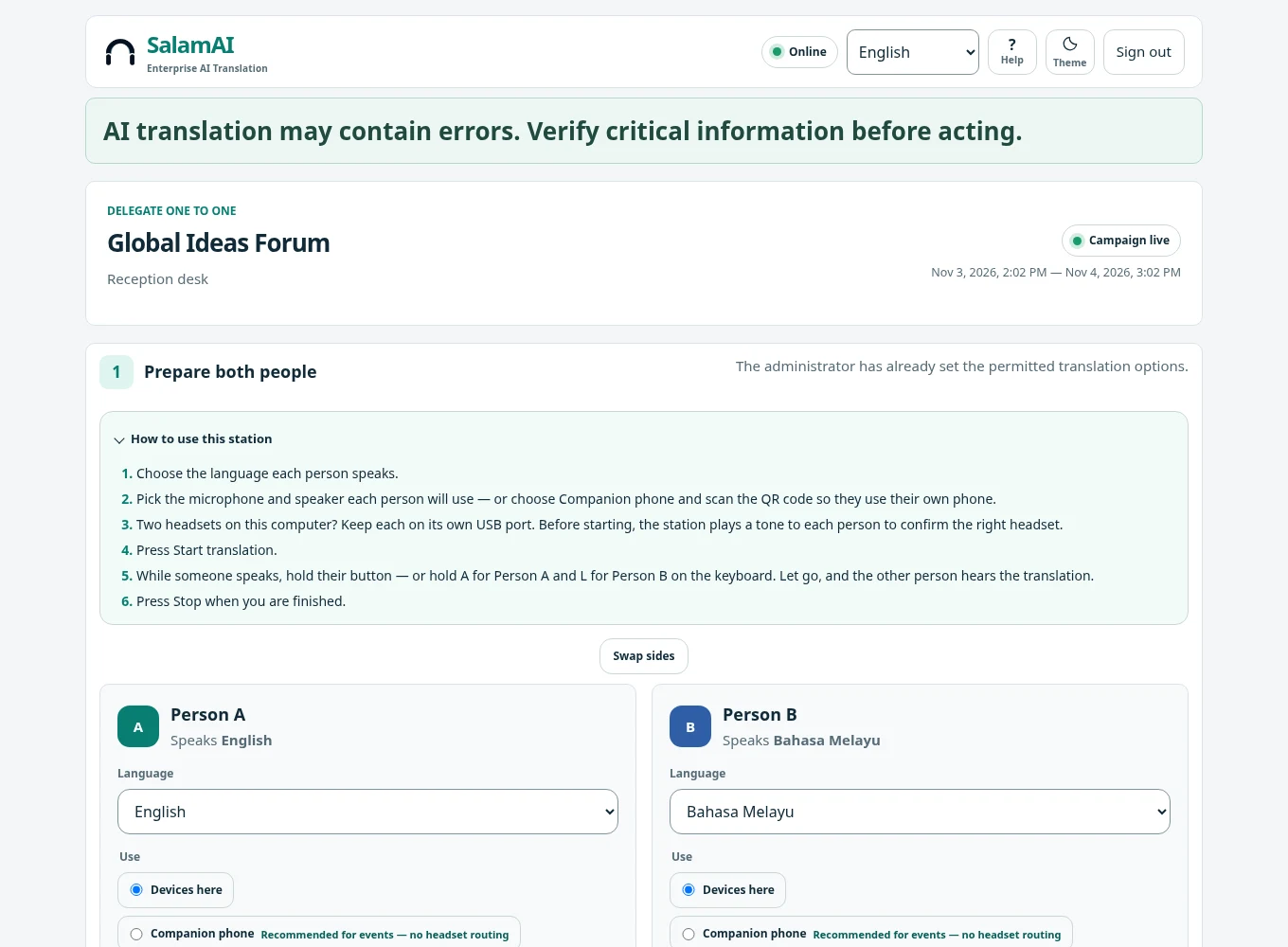
Sign in and prepare
- Open your assigned station link or scan its QR.
- Check the event and station name, read the notice and accept the terms.
- Enter the station credentials supplied by the organiser. The QR normally contains the link, not the password.
- Follow any browser or security checks.
- Choose the two languages if the campaign permits changes.
- Select and test the microphone and sound output for each person, or set up their Companion phones when allowed. In the headset check, the close button (×) counts as Not on this headset.
- Review any recording notice before starting.
You are ready when: the station shows that it can start, each person's device is ready and the expected languages are selected.
Run a conversation
Questions the station asks you (for example before it stops a conversation) appear in the station's language. Press Start using the station's start control. Each side takes a few seconds to get ready: the station quietly warms up the translation with a spoken notice in that side's language and discards the result, to help the first real sentence come out right (the station shows Preparing). Nobody hears or keeps the warm-up. Start speaking once the side's control is available. In Hold to speak, let one person speak a short phrase and release the control before the reply. During a conversation the person's level meter moves only while their control is held, and goes flat as soon as it is released. In Hands-free, follow the event's microphone and headphone instructions.
If the connection drops, the station reconnects by itself and keeps trying about once a minute until it is back; keep the page open. After 90 seconds without speech the station stops by itself to save usage; press Tap to continue when the warning appears to keep it running.
Press Stop when the conversation finishes. Let final translation and saving complete before starting another conversation or closing the browser. Do not leave a station running while unattended.
Ask the organiser for help
Use the station's Help request when available. Tell support the station name and the message shown, without sending its password. A support operator can review the station, respond or disconnect a stuck session.
| Problem | Next step |
|---|---|
| Not yet available / expired | Check the scheduled event time with the organiser. |
| Already in use | Close the old device's station, or ask support to reset its active session. |
| Language choice locked | Use the campaign's allowed languages or ask the organiser to change the policy. |
| Maximum live stations reached | Wait for another conversation to finish or ask support. |
| Password rejected | Ask for the current station password; old credentials may have been replaced. |
Saving and file downloads depend on the campaign. Download any authorised files within the permitted period. A grant does not give access to the full operator console or other stations' data.