
Appearance
Join as a Remote Speaker
A Remote Speaker sends their voice into an operator's session from a separate phone or computer. The operator supplies the speaker link and credentials.
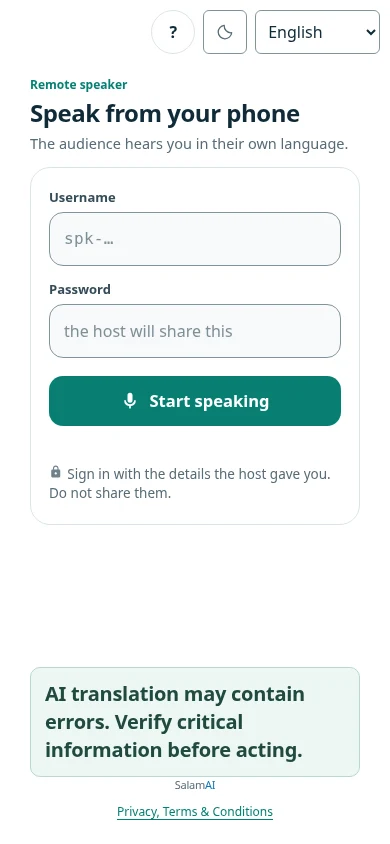
Connect
- Open the speaker link in an up-to-date browser.
- Read and accept the notice, then enter the credentials from the operator.
- Allow microphone access when prompted.
- Use headphones if you are also hearing event sound from your device.
- Tap Start or the microphone readiness control shown.
- Speak a short test phrase. Ask the operator to confirm that your voice reaches the session.
Keep the page open and use a stable internet connection. A name or connected status alone does not confirm that your microphone is picking up speech; check the level meter where available. The meter moves when you speak; steady background sound such as a fan or air conditioning leaves it flat.
During the event
Use mute when you are not speaking and unmute before your next turn. Speak into the selected microphone. If another app takes microphone or audio control, return to the page and follow its readiness prompt.
When finished, leave using the page control and tell the operator. If your access ends, check whether the link expired or was replaced before trying again.
Recover a connection
Check the browser's microphone permission and your device's input selection. Reconnect only with the current event link. Ask the operator to remove and recreate the speaker access if the credentials no longer work.